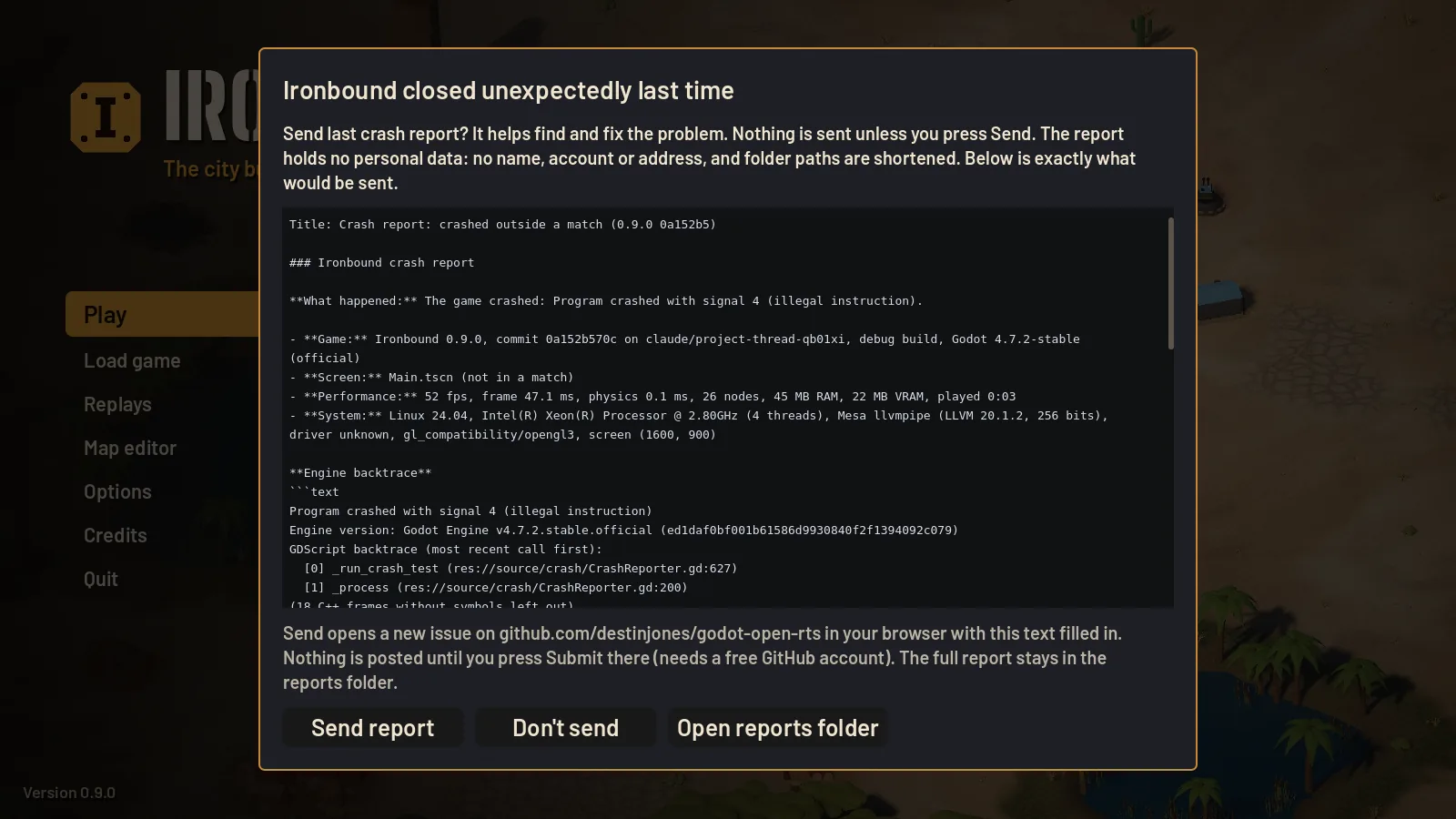
How it works
- The game writes a report when it crashes, freezes for 20 seconds or more, or logs 100 errors within 10 seconds.
- The next time you start it, the main menu asks Send last crash report? and shows you the exact text.
- Press Send to open a prefilled bug report on GitHub, then press Submit there. Press Don't send and the report stays on your computer.
What a report contains
Game version and build, Godot version, the map, players and AI styles, match time, weather, unit count, frame rate and memory, your OS, CPU and GPU, the most frequent errors with their call stacks, the crash backtrace and the last log lines.
It contains no names, accounts or addresses. Folder paths are shortened so your user name does not appear.
Where reports are kept
| System | Folder |
|---|---|
| Windows | %APPDATA%\Ironbound\crash_reports |
| Linux | ~/.local/share/Ironbound/crash_reports |
| macOS | ~/Library/Application Support/Ironbound/crash_reports |
Report a problem by hand
For bugs that are not crashes, open an issue: say what you did, what you expected and what happened, and attach a screenshot if you can. A GitHub account is needed.